Money Magician Now Connects to Any AI Agent Through a Simpler, Safer OAuth Flow
We're rolling out a new OAuth 2.1 connection for our MCP server. Here's why it matters, how it keeps you in control, and which AI agents can now talk to your Money Magician data.
Until now, connecting an AI assistant to your Money Magician data meant a bit of setup. You had to find the right endpoint, manage tokens, and hope the agent understood what it was allowed to touch. That worked, but it never felt quite as friendly as the rest of the app.
We're changing that.
Today we're rolling out a new OAuth 2.1 connection for our MCP server. It makes the whole experience feel less like wiring up an integration and more like approving a helpful assistant.
What MCP actually means here
MCP stands for Model Context Protocol. It's an open standard that lets AI agents call tools inside other apps. Think of it like a universal plug: if an AI assistant speaks MCP, it can ask Money Magician questions on your behalf.
What kind of questions?
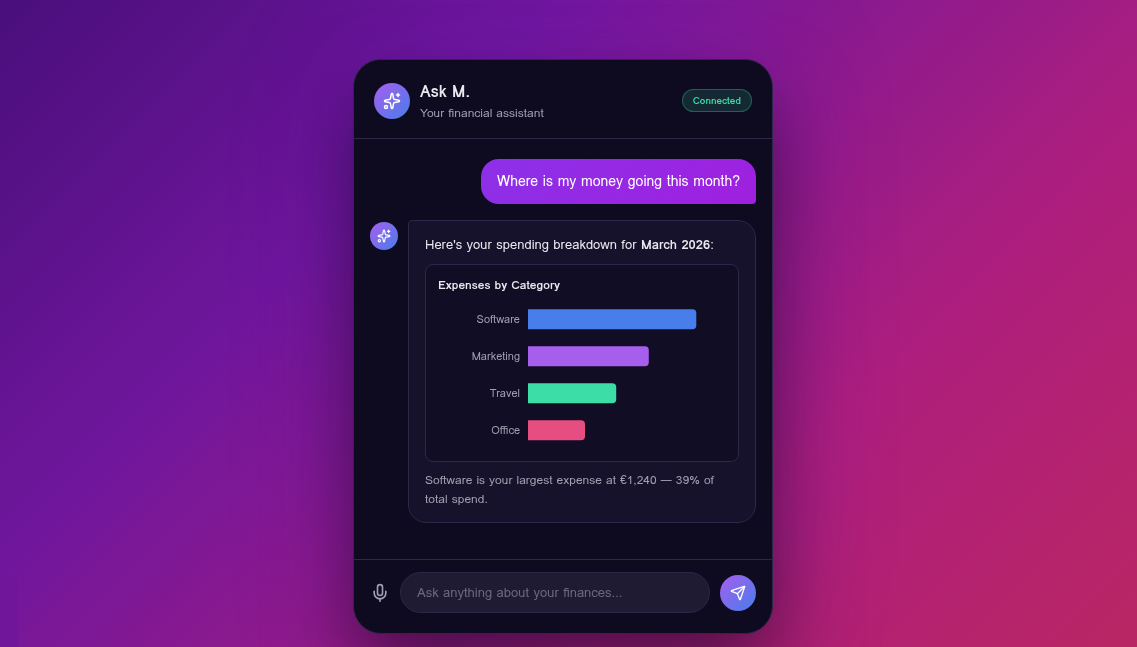
- "How much revenue did I collect last quarter?"
- "Show me my largest expenses this month."
- "Which invoices are still unpaid?"
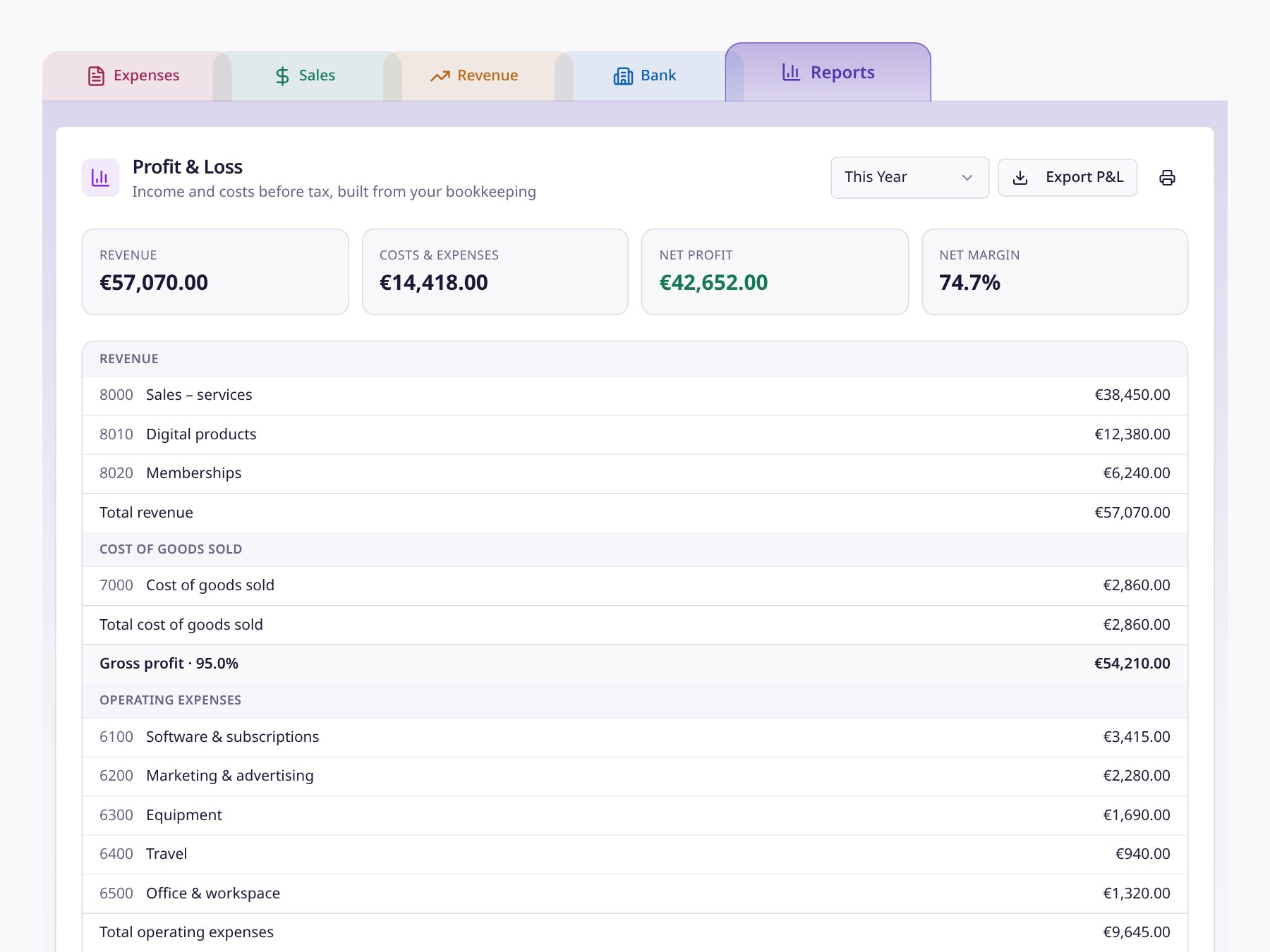
- "What is my current bank balance across all connected accounts?"
The agent doesn't get a static export. It queries your live data through the same rules and calculations you see inside Money Magician.
The old way vs. the new way
Before, the connection required manual configuration. You needed to handle tokens, know the endpoint, and trust that you had set the scopes correctly. It was powerful, but it asked a lot of the user.
The new flow is initiated from the AI agent itself. When the agent wants to connect:
- It sends you to Money Magician.
- You sign in if you aren't already.
- You see a clear consent screen telling you exactly which client is asking for access.
- You approve or deny it.
- If you approve, the agent receives a short-lived, rotating access token.
No copying API keys. No pasting secrets into chat windows. No wondering whether you gave away too much permission.
Why OAuth 2.1 matters
OAuth 2.1 is the modern version of the same authorization flow you already use when you log into an app with Google or connect a service to Slack. It is built for delegated access: the AI agent acts as you, but only with the permissions you grant, and only for as long as you allow it.
A few things this gives us:
- Scoped tokens. The agent gets a token tied to your account, not a master key to the whole system.
- Automatic rotation. Tokens rotate, so a leaked token is useful only for a short window.
- Revocation. You can cut off access at any time from your account.
- No password sharing. The agent never sees your Money Magician password.
Most importantly, the agent is still bound by the same Row-Level Security rules as the web app. It can only see the data you can see when you log in.
Which agents can connect?
Any AI client that supports MCP can use this flow. That includes Claude Desktop, ChatGPT with MCP support, Jan AI, Mistral Vibe, and other MCP-compatible assistants. If the standard catches on more broadly — and it looks like it will — the list will keep growing.
We didn't build this for one assistant. We built it so Money Magician works with the AI ecosystem as it evolves.
What this unlocks for you
The practical difference is that your AI assistant becomes a real financial co-pilot. You can ask natural-language questions about your business while you're in the middle of another workflow, and the answers come from your actual Money Magician data.
You can also imagine workflows that would have been tedious before:
- "Draft a monthly summary of my revenue and expenses."
- "Compare this quarter's Stripe payouts to last quarter's."
- "Flag any unusually large transactions from the past two weeks."
The agent can do the lookup and synthesis, and you stay in control of whether it has access.
What's next
The new OAuth connection is available now for MCP-compatible AI agents. If you're already using Claude Desktop or another supported client, you can add Money Magician as an MCP server and go through the consent flow today.
If you haven't tried Money Magician yet, the free plan includes the same financial data the agents can query — expenses, sales, revenue analytics, and bank reconciliation. Sign up and then connect your favorite AI assistant to see what hands-free financial questions feel like.
Frequently Asked Questions
What is MCP and why does it matter for Money Magician?
MCP stands for Model Context Protocol, an open standard that lets AI agents call tools in external apps. For Money Magician, it means a compatible AI assistant can query your revenue, expenses, invoices, and bank data using the same logic you see inside the app — without you needing to copy and paste numbers into a chat window.
What changed with the new OAuth connection?
The previous connection flow required more manual setup. The new OAuth 2.1 flow is initiated from the AI agent or assistant itself. You review a clear consent screen inside Money Magician, approve the connection, and the agent receives a short-lived, rotating access token. No API keys to copy, no tokens to manage manually, and no guessing about what the agent can or cannot see.
Which AI agents can connect?
Any AI client that supports the Model Context Protocol can connect. That includes Claude Desktop, ChatGPT with MCP support, Jan AI, Mistral Vibe, and other MCP-compatible assistants. As long as the agent speaks MCP, it can request access through the same OAuth flow.
Is my financial data safe when an AI agent connects?
Yes. The AI agent only gets the access you explicitly approve. Tokens are scoped to your account, rotate automatically, and respect the same Row-Level Security rules as the rest of the app — meaning the agent sees only what you see when you log in. You can revoke access at any time, and the agent never receives your login password or a long-lived master key.
How do I connect an AI agent to my Money Magician account?
In your MCP-compatible AI client, add Money Magician as an MCP server using the published endpoint. The client will redirect you to Money Magician to sign in (if you aren't already) and show a consent screen. Approve the connection, and you're done. The agent can then answer questions about your finances using live data from your account.