Simple for You, Serious for Your Accountant: Modern Bookkeeping Collaboration Done Right
Freelancers and creators get trapped between heavyweight accounting suites and simple tools their accountant can't use. Here's why we built dedicated Accountant Access with real audit files, scoped permissions and mandatory two-factor security.

Every quarter, thousands of freelancers, creators, and small business owners play the same stressful game of ping-pong with their accountant. Even when using modern software, people find themselves caught between two uncomfortable extremes: heavyweight platforms like QuickBooks, Xero, or FreshBooks — built for complex, growing companies with dedicated finance staff and steep learning curves — and simpler tools that entrepreneurs love but accountants struggle with at year-end, because categories don't map cleanly onto the standards their practice software expects.
So the familiar routine continues: the accountant asks for missing receipts, bank statements, and invoice records, and the entrepreneur spends their weekend downloading CSVs, digging up PDF receipts and Stripe and Wise transactions, and sending over a zip file. A week later, the accountant replies with a spreadsheet of questions, adjustments, and reclassifications.
We built Accountant Access to end that game — without forcing creators into enterprise software, and without asking accountants to lower their professional standards.
The two extremes nobody enjoys
The heavyweight suites
QuickBooks, Xero and FreshBooks are excellent products — for the businesses they were designed for: growing companies with employees, inventory, purchase orders and a finance-minded operator. Accountants genuinely like them because everything speaks full accounting language.
But if you're a freelance designer, a newsletter writer or an indie maker, that power becomes friction. You pay for features you'll never touch, navigate menus written for bookkeepers, and still end up unsure whether you categorized things correctly. Ease for the accountant, at the cost of ease for you.
The simple tools
On the other end sit tools built around the entrepreneur's daily flow. Take Moneybird, which has grown into a full accounting platform with its own bank accounts, cards and automated receipt processing — genuinely pleasant to use day to day. Yet many Dutch accountants will tell you the year-end story is bumpier: its friendly, custom category structure doesn't natively speak RGS (the Dutch Reference Chart of Accounts), so their practice software can't always map an export automatically, and someone ends up building a manual brugstaat (mapping schedule) by hand.
Ease for you, at the cost of ease for your accountant.
What accountants actually need in 2026
Here's the part entrepreneurs rarely get to see. Your accountant doesn't work in your bookkeeping app — they work in practice software like Visionplanner, CaseWare, TaxCycle or Silverfin, where they assemble annual workpapers, apply their professional review, and file tax returns.
That world is consolidating fast. In Europe, suites like Visma (bringing together Visionplanner, Nmbrs, Yuki and WeFact) increasingly try to own the entire chain from daily receipts to statutory filings. In Canada and the US, CPAs rely heavily on working-paper suites like CaseWare Working Papers and tax prep software. When your entrepreneur tool can't hand over clean, standardized data, the pressure lands on you: switch to heavier, expensive software, or keep paying your accountant billable hours to re-map and clean up everything manually.
We believe the real answer is open, standardized data:
- Auditfile Financieel (XAF): For Dutch accountants, structured XML with complete journal entries, ledger accounts and opening balances that practice tools map automatically on import — no manual brugstaat or spreadsheet ping-pong.
- Universal Trial Balance & GL exports: For North American CPAs and international accountants, a balanced Trial Balance CSV (opening balances, debit/credit period movements and closing positions by account code) alongside general ledger detail. They can drop it straight into CaseWare, TaxCycle or their year-end workpapers.
Modern security is non-negotiable
Giving a second person access to your complete financial administration used to mean emailing exports or sharing a login. In 2026, that's simply not acceptable anymore — for you or for your accountant's professional liability.
So Accountant Access is built to the standard you'd expect from a bank:
- Mandatory two-factor authentication. An accountant cannot see any client data until their session is secured with an authenticator app. No exceptions.
- Scoped, least-privilege access. Accountants see exactly the client books they were invited to — never their own data mixed with yours, never other clients, and never your credentials, billing or API tokens.
- Database-enforced permissions. The rules aren't just hidden buttons in the interface; they're enforced at the database level, so no clever workaround can exceed the granted rights.
- A complete audit trail. Every accountant change is logged with a plain-English summary — what changed, from what, to what, and when. You review their edits in Settings, and revoking access takes one click and works instantly.
What your accountant can (and can't) do
We deliberately chose targeted edit rights over full control. Accountants told us what they actually need at year-end, and that's exactly what they get:
They can:
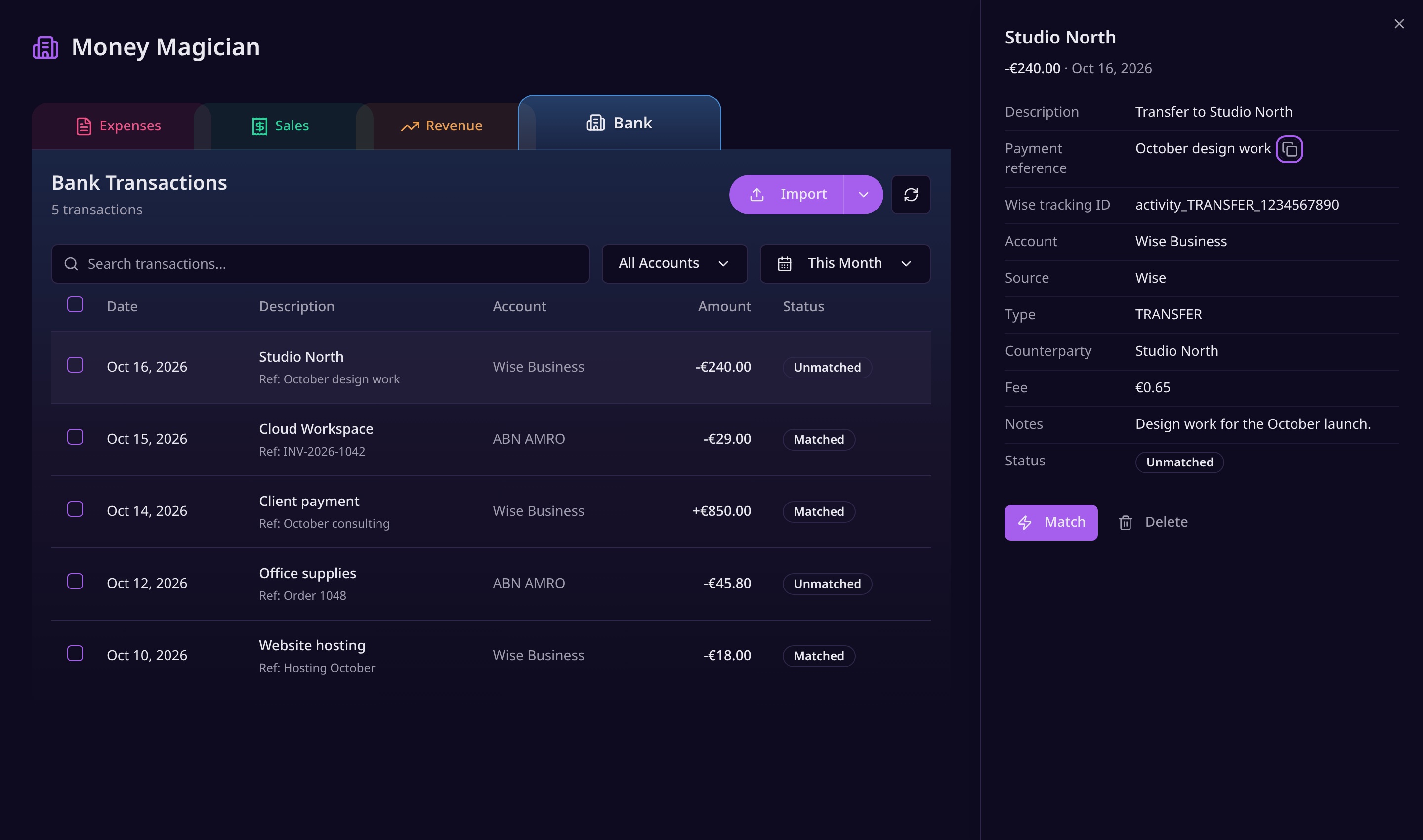
- View your Expenses, Sales, Revenue and Bank tabs, with period filters, category and matched/unmatched filters, and per-currency totals
- Drill into the underlying invoice documents and bank transaction details (read-only)
- Edit opening balances, fixed assets and write-downs, and balance sheet adjustments
- Fix expense categories and tax treatment — the classic year-end corrections
- Export the Trial Balance, General Ledger Journal (CSV) and the Auditfile Financieel (XAF) for their practice software
- See your company details like KvK number and VAT filing frequency in a persistent overview
They cannot:
- Match or edit bank transactions
- Edit sales invoices, including drafts
- File or reopen VAT returns
- Touch your credentials, billing, integrations or API keys
- Delete your data
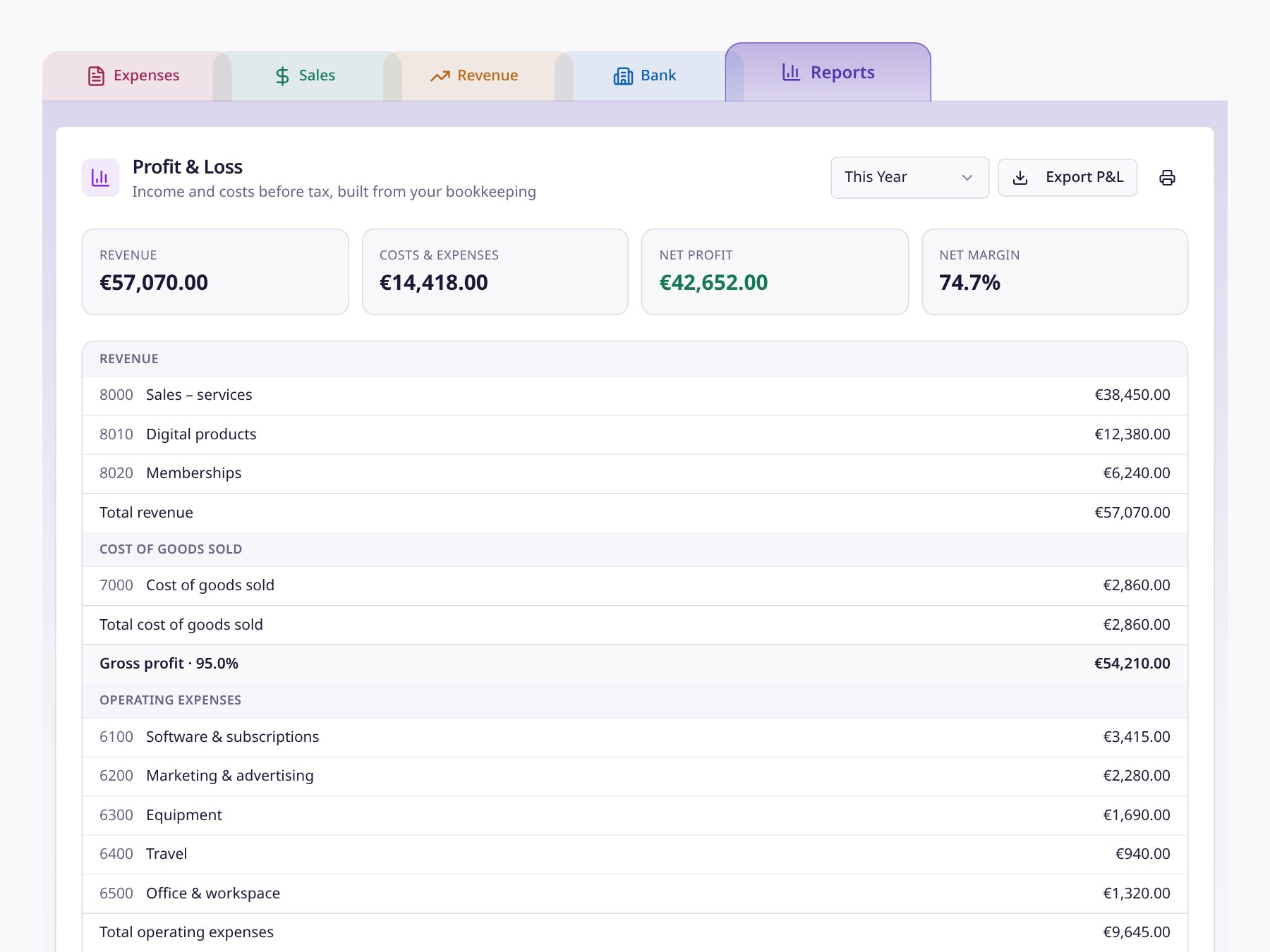
And because every report in Money Magician — the Profit & Loss, the Balance Sheet, the journal export and the audit file — is built from the same underlying bookkeeping, you and your accountant are always looking at the same numbers. No version drift, no "which export was the right one?"
Simple stays simple
None of this changes your daily flow. You still scan receipts, create invoices, connect Stripe, Gumroad and Wise, and let the reports build themselves. The accounting rigor lives behind the scenes, surfacing only when your accountant needs it.
That's the balance we were after: a calm, fast front-end for you, and a serious, standards-based back-end for your accountant — connected by live, secure access instead of quarterly zip files.
If your accountant is still working from your exports, invite them from Settings → Accountant Access and let them see for themselves. And if they're curious about the technical side, point them to the XAF export — their practice software will know exactly what to do with it.
Frequently Asked Questions
What can my accountant do with Accountant Access?
Your accountant gets their own login with a dedicated client view of your books: they can view Expenses, Sales, Revenue and Bank, and make targeted year-end edits such as opening balances, fixed asset write-downs, balance adjustments, and expense categories and tax treatment. They cannot match bank transactions, edit sales invoices, or file or reopen VAT returns.
How do I stay in control of my books?
You invite your accountant and can revoke access at any time from Settings. Every change they make is logged with a plain-English summary, and you can review their edits in one place.
Can my accountant export my books for their own software?
Yes. From their client view they can download the Trial Balance, General Ledger Journal (CSV) and the Auditfile Financieel (XAF), which practice tools like Visionplanner, CaseWare and Silverfin import directly for annual accounts and tax filings.
Why does my accountant need two-factor authentication?
Accountant Access opens a second doorway into your financial data, so we require every accountant to secure their account with two-factor authentication before they can see any client books. It is the same standard modern banking and payroll platforms use.